
BostonPicks

4 Best Internet Service Providers in Boston

Finding internet service providers in Boston is easier when you start with the kind of help your household or business needs. The options here cover fiber connections, whole-home WiFi troubleshooting, mobile-and-internet accounts, equipment exchanges, and face-to-face support.

Before choosing, confirm service availability at your address, installation or appointment requirements, equipment policies, and whether support is suited to residential or business needs. Responsive communication and careful, well-organized service can matter just as much as the connection itself.

How this guide is ordered

Options are ordered around practical fit: the services they emphasize, the type of customer they serve, the support available, and whether they address common needs such as coverage, billing, equipment, or business connectivity. Some eligible businesses may purchase enhanced visibility, which can influence their placement.

Top 3 Ranking Map How to choose

Compare 4 internet service providers in Boston

Starry #1

Starry

4.6401 reviews
Best for
Households wanting hands-on technical support

Starry is a Boston internet service provider with a support experience that emphasizes clear troubleshooting and practical guidance. Representatives are described as responsive, professional and willing to work through router setup, connection problems and billing questions rather than leaving customers to navigate technical issues alone.

Appointments are required for service-related visits, and online appointment booking is available. The provider may appeal to households that place particular importance on patient technical support and straightforward help when setting up or maintaining home internet.

Astound | Hyde Park #2

Astound | Hyde Park

4.5814 reviews
1224 Hyde Park Ave, Hyde Park, MA 02136, United States
Best for
Homes needing detailed WiFi troubleshooting or whole-home coverage

Astound | Hyde Park provides internet, TV and phone services for Boston households, with enhanced whole-home WiFi built around multiple access points and TrueMesh technology. Additional tools include wireless security features such as threat scans, family-safe browsing, VPN protection and password management.

Installation and troubleshooting are supported by technicians who take time to trace issues, explain the work and verify that the connection is functioning before leaving. That patient, detail-oriented approach is especially valuable when a home network needs more than a quick reset. The provider also offers TiVo-enabled streaming and live-TV features, creating room for a broader home connectivity bundle.

Xfinity Store by Comcast #3

Xfinity Store by Comcast

3.9335 reviews
1316 Commonwealth Ave, Allston, MA 02134, United States
Best for
Customers managing internet and mobile services together

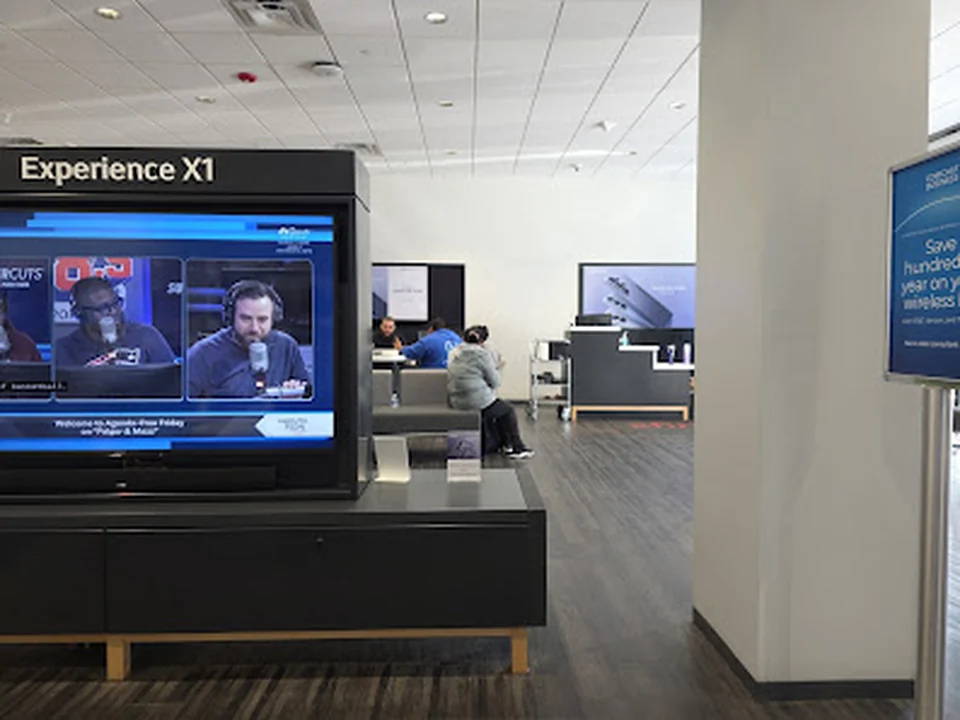
The Xfinity Store by Comcast in Boston serves customers looking to subscribe to services, pay bills, or pick up and exchange equipment. It also handles mobile-service questions, making it a useful stop for people managing internet and wireless needs together.

The store experience is shaped by patient explanations, organized assistance, and staff who can work through account questions step by step. Associates are often described as clear, attentive, and efficient, with careful attention to keeping the space tidy. Bring identification, and new-service visits may require proof of residence or a credit check.

Boston Broadband #4
What stands out
  • Symmetrical gigabit fiber internet

Boston Broadband

3.631 reviews
Best for
Homes seeking fiber internetBoston-area businesses

Boston Broadband focuses on symmetrical gigabit fiber internet for Boston, Brookline, and Cambridge. The service is presented with no contracts, no hidden fees, and local support, giving the business a clear emphasis on fast, dependable connectivity with a nearby point of contact.

Installation is described as professional and transparent, while support stands out for quick responses and no-wait phone assistance. The team has also handled urgent office outages and same-day router problems, making Boston Broadband particularly relevant for households and businesses that need dependable service and responsive troubleshooting. Availability is the key detail to establish before choosing a plan, since fiber access depends on the service area.

Do you run a business?

Manage or add my business

Map of internet service providers in Boston

Boston’s provider options serve different connection needs rather than one single customer profile. Some focus on household support and WiFi coverage, while others are relevant to fiber shoppers, business connectivity, or customers combining internet with mobile service.

Use the map to compare convenient locations and confirm availability before traveling. Store-based support can help with exchanges, billing, and account questions, while technical needs may require a scheduled visit or service appointment.

Services to compare

  • Fiber internetCompare options for homes seeking fiber connectivity and confirm whether the desired plan is available at the service address.
  • WiFi troubleshootingLook for help with detailed WiFi issues, weak rooms, and whole-home coverage rather than only basic connection setup.
  • Hands-on technical supportUseful for households that want patient, practical assistance with setup, equipment, or recurring connection concerns.
  • Internet and mobile accountsSome providers can help customers manage internet and mobile services together, making account coordination more convenient.
  • Equipment exchangesStore support may be useful when replacing or returning equipment, but confirm the exchange process before visiting.
  • Billing and account helpFace-to-face assistance can make billing questions, account changes, and service administration easier to handle.
  • Business connectivityBoston-area businesses should compare providers that specifically support commercial internet requirements and responsive service.

How to choose a provider

  1. Check availability at the exact service address before comparing plans.
  2. Ask whether fiber or another connection type is offered at your location.
  3. Describe your home layout and ask how whole-home WiFi coverage is handled.
  4. Confirm installation timing, equipment arrangements, and any appointment requirements.
  5. Separate residential support from business connectivity needs when requesting help.
  6. Ask which account, billing, and equipment issues can be handled in person.

Frequently asked questions

Which Boston provider is best for whole-home WiFi problems?

Start with providers that specifically address detailed WiFi troubleshooting and whole-home coverage. Explain the size and layout of the property, the rooms affected, and the equipment already in use so the support team can recommend a suitable approach.

Confirm whether assistance includes in-home troubleshooting, equipment changes, or only remote guidance.

How can I find fiber internet in Boston?

Check fiber availability at the exact address rather than relying only on the provider’s general Boston coverage. Ask about installation timing, equipment, service terms, and whether the connection is intended for residential or business use.

Availability can vary between nearby buildings, so verify before making plans.

Can I manage internet and mobile service together?

Some Boston providers support customers who want to manage internet and mobile services through the same account or location. Ask about account changes, billing arrangements, equipment, and the type of assistance available in person.

Clarify which services can be handled together before switching or combining accounts.

What should I confirm before visiting an internet provider?

Confirm the location’s available services, opening arrangements, appointment needs, and whether the issue can be handled in person. For equipment exchanges or billing questions, ask what documents or devices you should bring.

A quick check beforehand can prevent an unnecessary trip and help staff resolve the request more efficiently.

Related guides